






Own your nodes. Without becoming a node company.

One platform for blockchain nodes—on the infrastructure you already own.

full int
Get started

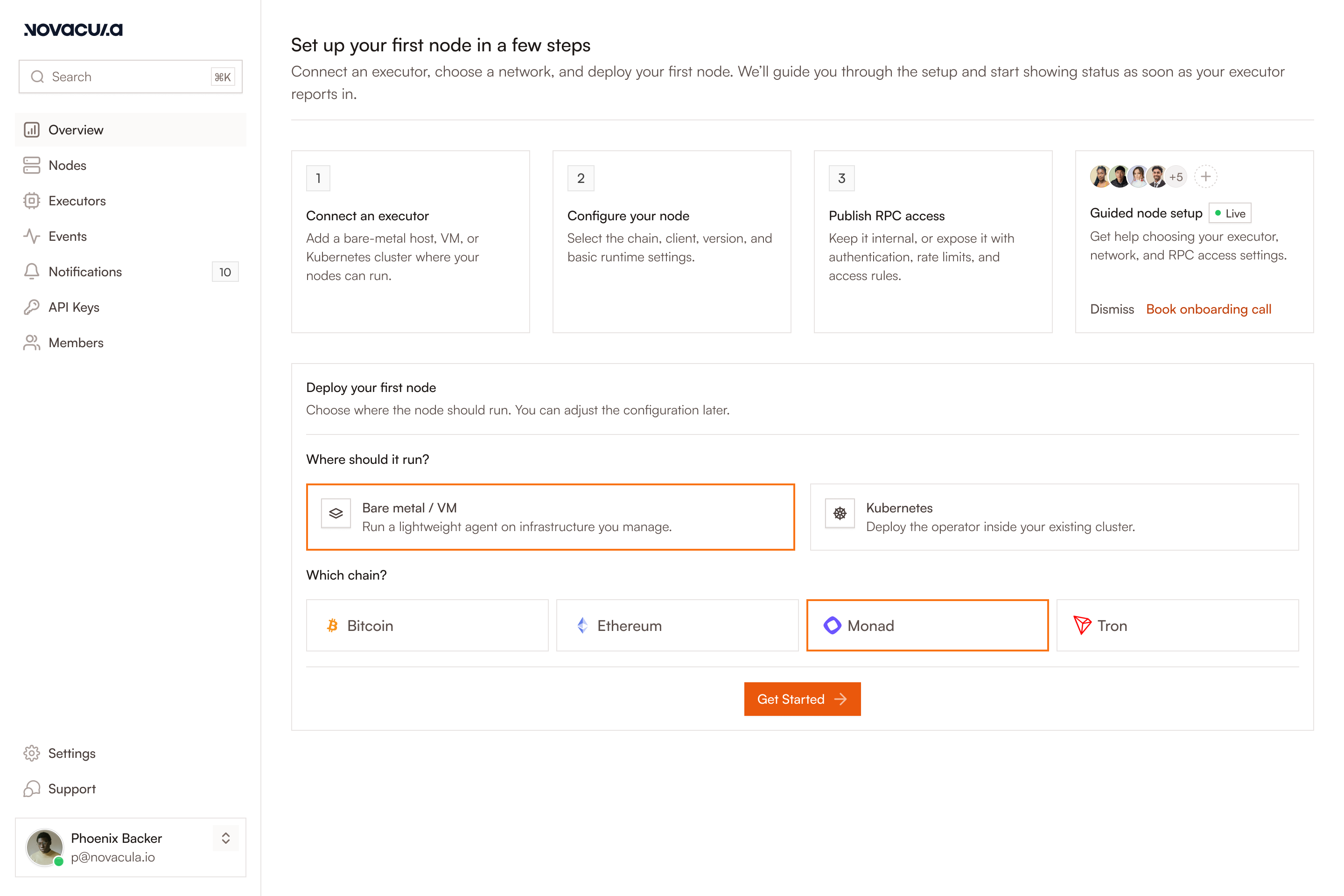
Your first node, in three steps.

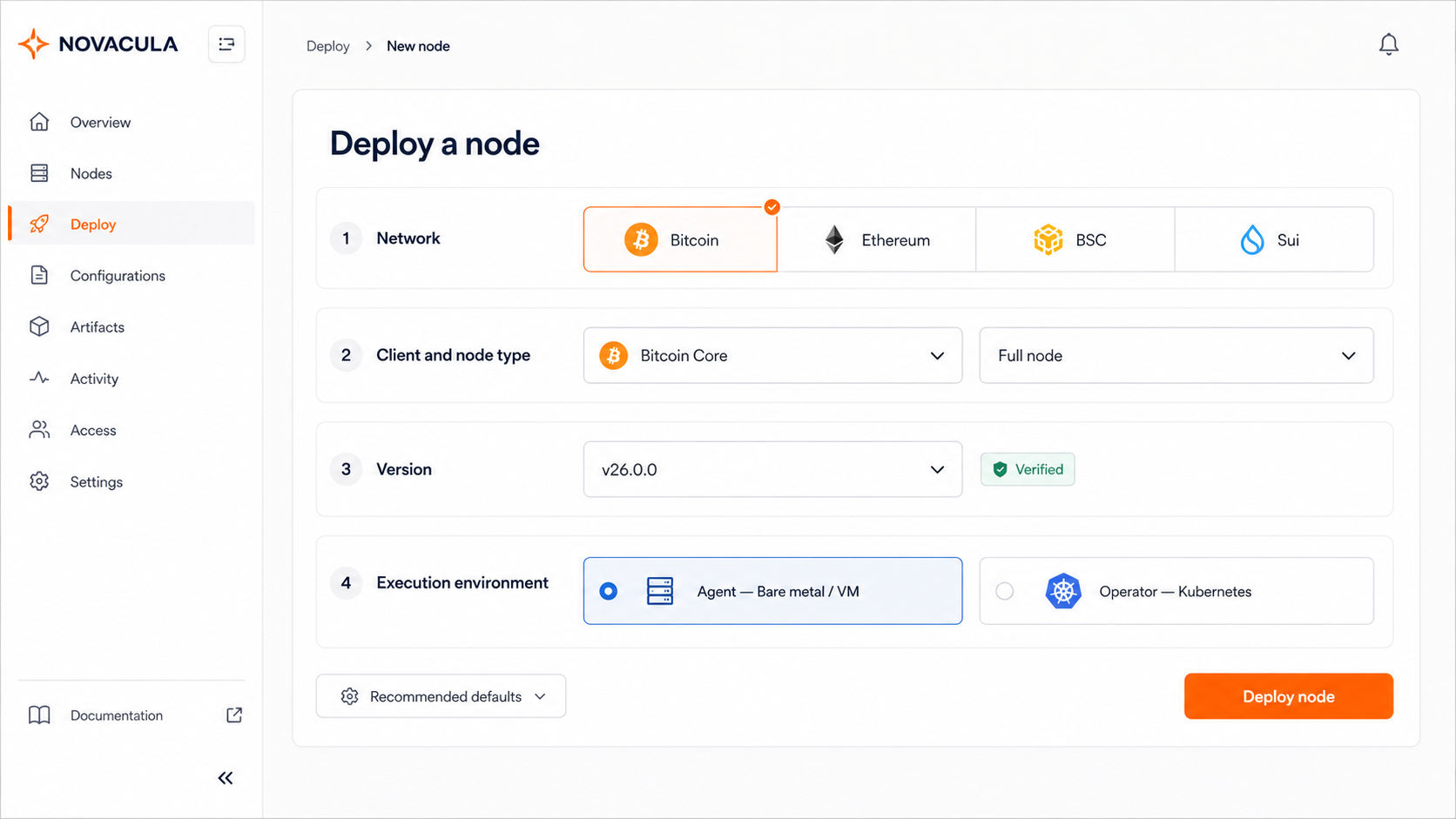
Connect an Executor, configure a node for a supported network, and deploy it from one control plane.

overview
Execution Environments

Runs on the infrastructure you already own

Run production nodes on bare metal, virtual machines (VMs), or Kubernetes. Use Agent for Linux hosts with systemd, Docker, or Incus, and Operator for Kubernetes clusters. Customer-side Executors connect outbound to the control plane, so no inbound management connections are required.

Features

One system for all your nodes.

Novacula standardizes deployment and routine operations across supported networks, so your team can manage the fleet through one control plane.

  • One deployment model

    Choose a supported network, client, node type, version, and execution environment. Novacula applies the network-specific binaries, configuration, and resource defaults.

  • Fleet-wide observability

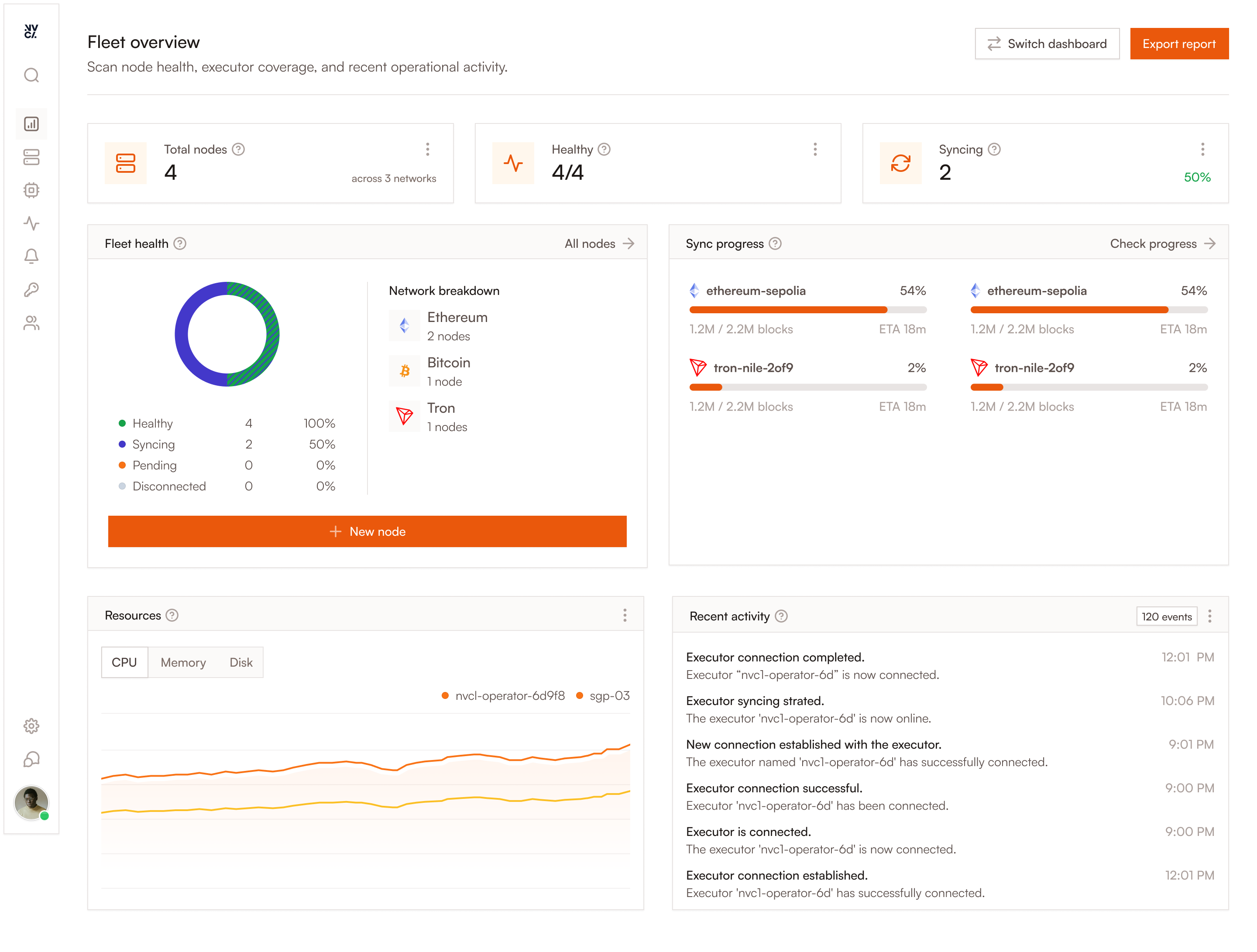
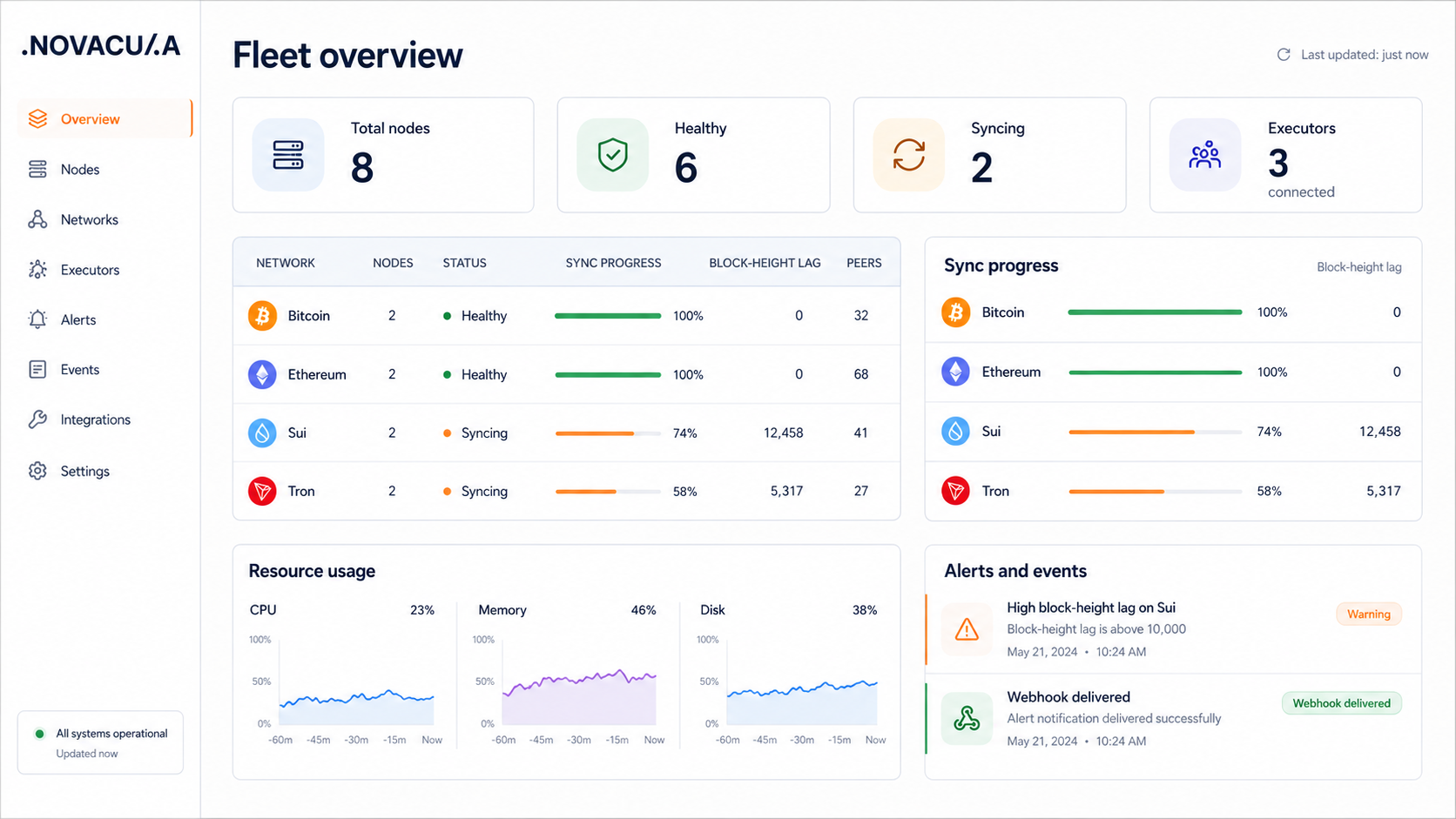
    View node and Executor status, sync progress, block-height lag, and resource usage in one place. Use alerts and webhooks to surface issues across the fleet.

  • Lifecycle and verified upgrades

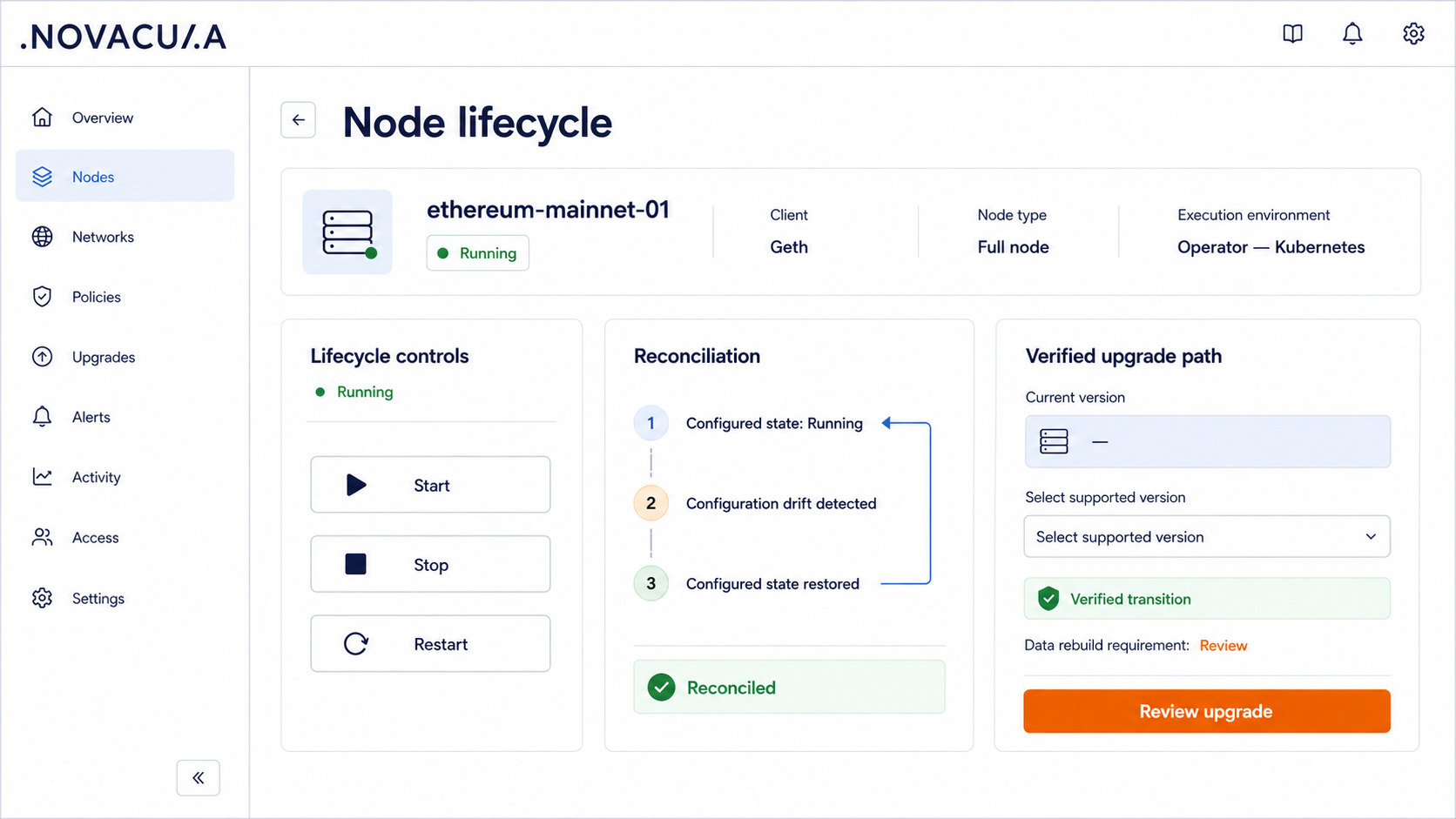
    Start, stop, restart, and update nodes through the control plane. Continuous reconciliation returns supported workloads to their configured state after process crashes or configuration drift.

Support

FAQs

Answers to common questions about deploying and operating blockchain nodes with Novacula. Can’t find what you need? Talk to our team.

Where can I run nodes with Novacula?

Run nodes on physical servers, virtual machines (VMs), or Kubernetes clusters you control. Agent supports Linux hosts through systemd, Docker, or Incus, while Operator runs in Kubernetes.

Which node types can I deploy?

Available node types depend on the selected network and client. Supported options include full, pruned, archive, and lite nodes. The deployment flow displays only available configurations.

How does Novacula monitor node health?

Novacula tracks node status, synchronization progress, block-height lag, peers, remote procedure call (RPC) availability, and resource usage. Alerts can be delivered through supported channels and webhooks.

What happens when a node becomes unhealthy?

Novacula surfaces the issue through status updates, events, and alerts. Continuous reconciliation can restore the configured state after a process crash or configuration drift. Other issues may require review.

How are client updates handled?

Novacula provides supported client versions and verified upgrade paths. Your team selects the target version and reviews configuration or data-rebuild requirements before confirming the upgrade.

What happens if the Novacula Hub becomes unavailable?

Running nodes continue operating and serving RPC because execution remains with customer-side Executors. New management actions pause until the connection to the Hub returns.

Does blockchain traffic pass through Novacula?

No. Production RPC and peer-to-peer (P2P) traffic do not pass through the Hub. Nodes, blockchain data, and production traffic remain in your environment.

Which networks does Novacula support?

Novacula currently supports Bitcoin, BNB Smart Chain (BSC), Ethereum, HyperLiquid, Igra, Ink, Monad, Stable, Sui, Tempo, and Tron. Visit the supported networks page

Pricing plans

Open-source executors with paid Hub features and custom Enterprise on-premise pricing.

Free during public beta

Team

Manage nodes and execution environments through the hosted Novacula Hub.

Join the public beta
  • Hosted control plane
  • Fleet management across execution environments
  • Verified upgrade paths
  • Observability, alerts, and change history
Custom

Enterprise

Custom deployment, governance, and support for organisations with additional requirements

Contact Sales
  • Everything included in Team
  • Custom deployment requirements
  • Access controls and audit history
  • Custom contracts and support terms

Start with one new chain and see for yourself.

Deploy and operate it on infrastructure you control.

Get Started