Run an Ink Node in Three Clicks
Deploy and manage an Ink full node with Novacula. Run op-reth and op-node together on infrastructure you control, serve Ink RPC to your applications, and monitor sync, resources and node health from one control plane.
Manage Your Ink Node From One Control Plane
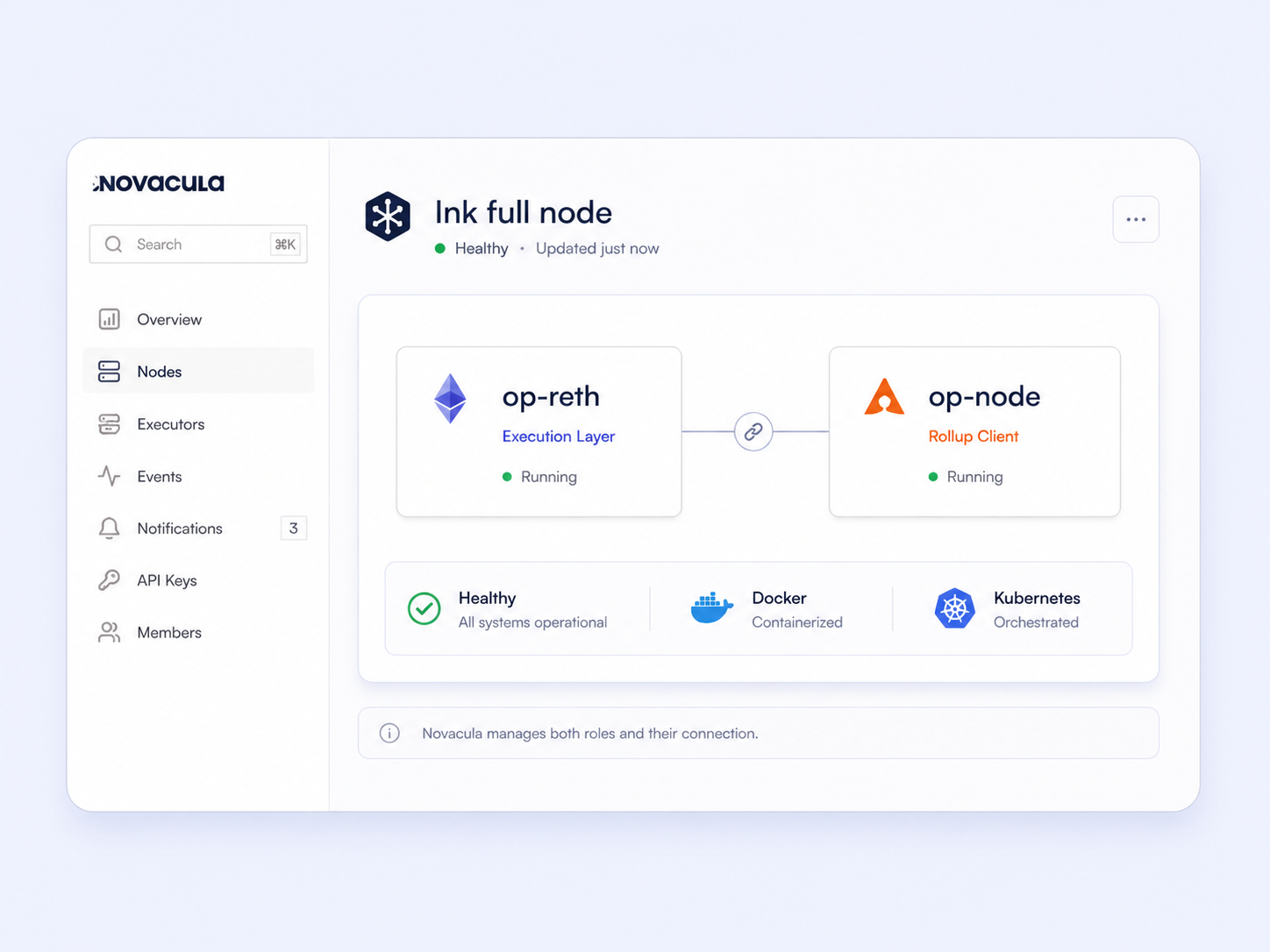
Novacula manages the two processes behind an Ink full node-op-reth and op-node-on infrastructure you control. Deploy, monitor, update and troubleshoot both roles without building a separate operating workflow for Ink.
Deploy an Ink Full Node With Both Roles Managed Together
Every Ink full node runs op-reth for execution and op-node for rollup operations. Novacula deploys and manages both processes together, including the connection between them, so your team does not need to operate each role separately.
- op-reth + op-node managed together
- Run on Kubernetes or an Agent with Docker
- Built-in Ink network configuration

Monitor Ink Sync Across Both Node Roles
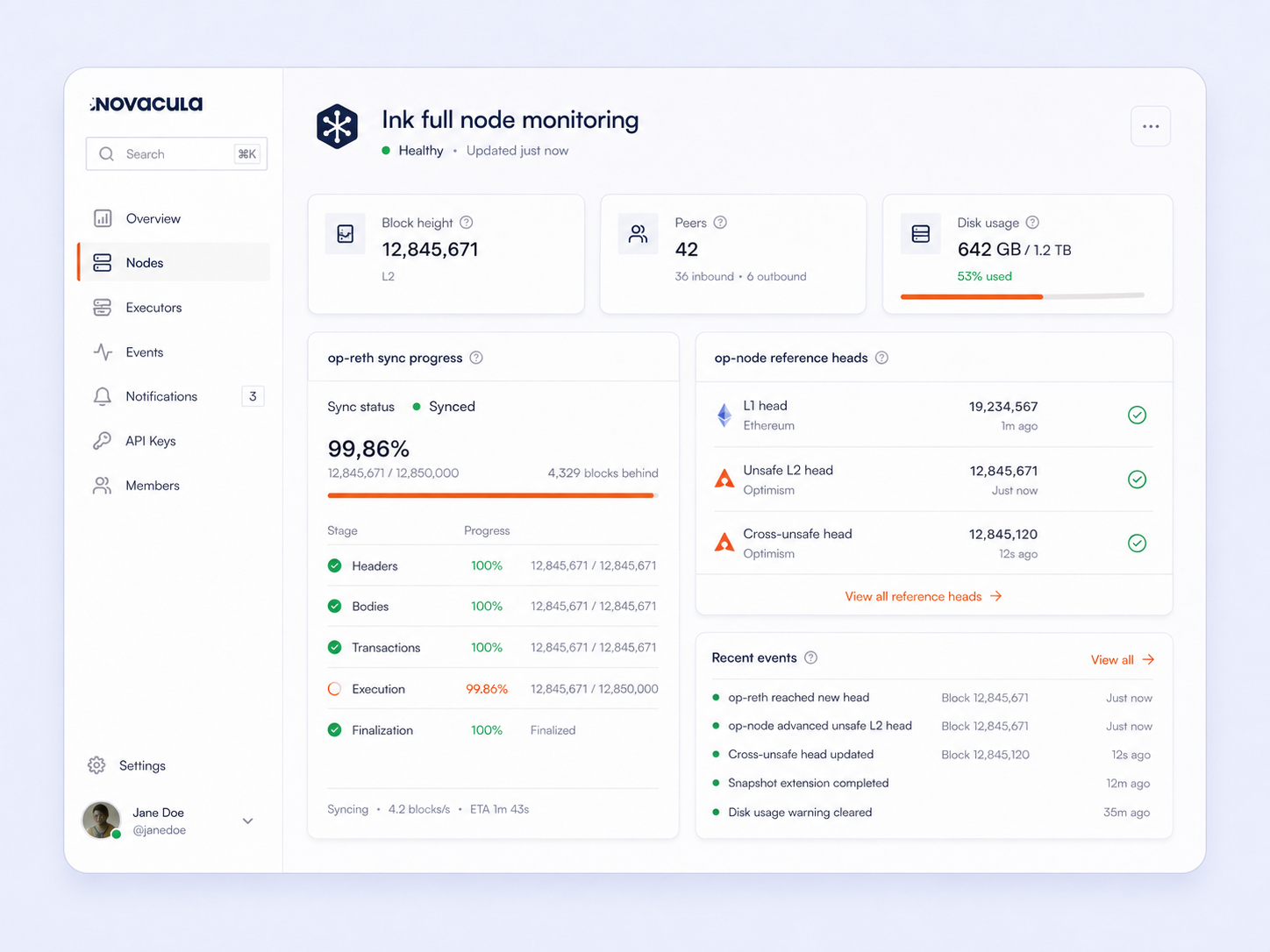
Ink node health depends on both op-reth and op-node. Novacula brings their sync data into one view, so you can see whether the execution layer is progressing and whether the rollup client is keeping up with Ethereum L1.
- Track block height, peers and sync progress
- See op-reth pipeline stages
- Check op-node L1 and L2 reference heads
Keep Your Ink Node Connected to Ethereum L1
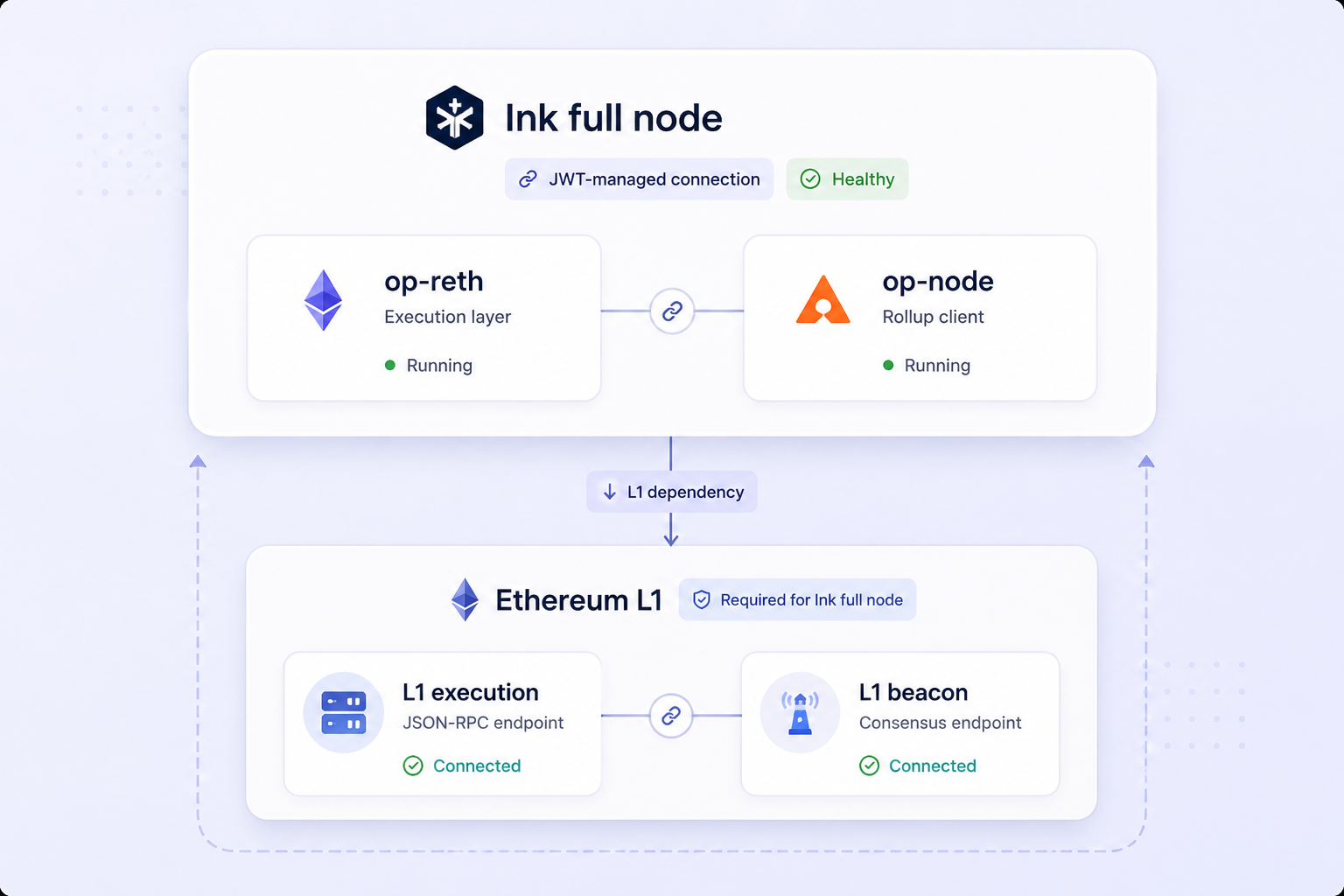
Ink does not sync from L2 peers alone. op-node derives the rollup from Ethereum L1, so reliable execution and beacon endpoints are essential. Novacula manages the L1 connection as part of the Ink node configuration.
- Ethereum execution and beacon endpoints included
- L1 connection managed by Novacula
- Use your own Ethereum node when needed
Run Ink Nodes With Kubernetes or Docker
Ink is container-only. Run op-reth and op-node as pods with the Novacula Kubernetes Operator, or as Docker containers on a UNIX-based host or virtual machine (VM) with the Novacula Agent.











Frequently Asked Questions About Ink Nodes
Answers to common questions about running, managing and monitoring Ink full nodes with Novacula. Talk to our team.
What is an Ink full node?
An Ink full node runs two processes: op-reth as the execution layer and op-node as the rollup client. Together, they process Ink transactions and derive the Layer 2 chain from Ethereum L1.
How do I run an Ink node?
With Novacula, you deploy an Ink full node on infrastructure you control. Novacula manages op-reth and op-node together, including the connection and network configuration required for both roles.
What clients does an Ink node use?
Ink uses op-reth for the execution layer and op-node for the rollup layer. Novacula manages both processes as one Ink node deployment.
Can I run an Ink node on Kubernetes or Docker?
Yes. Ink is container-only. You can run it as pods with the Novacula Kubernetes Operator or as Docker containers on a UNIX-based host or virtual machine with the Novacula Agent.
Why does an Ink node need Ethereum L1 endpoints?
Ink is anchored on Ethereum. op-node derives the Ink chain from Ethereum L1, so it needs access to both an Ethereum execution endpoint and a beacon endpoint to keep syncing.
Can I use my own Ethereum node with Ink?
Yes. Novacula can use the default Ethereum L1 endpoints or point the Ink node to Ethereum infrastructure you already operate, including an Ethereum node managed through Novacula.
How does Novacula monitor an Ink node?
Novacula combines data from op-reth and op-node to show node status, block height, peers, sync progress and disk usage. It also exposes op-reth pipeline stages and op-node reference heads for deeper troubleshooting.
What resources does an Ink full node need?
Novacula’s current deployment defaults allocate 8 CPU, 32 GiB memory and 2,000 GiB disk to op-reth, plus 4 CPU, 8 GiB memory and 10 GiB disk to op-node.
Run Your Ink Node With Novacula
Deploy and manage an Ink full node on infrastructure you control, with op-reth, op-node, monitoring and Ethereum L1 connectivity managed through one control plane.
Sign up